

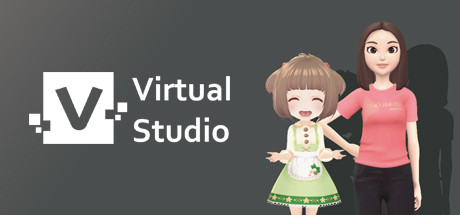
Description
Download Vtuber Broadcast Tool – vtuber, streaming, virtual avatar, mac, live broadcast, vcam, macos, virtual streamer, vst, mac compatible, macos streaming
Overview
The Vtuber Broadcast Tool offers a simulation-based experience designed for creators seeking to build and manage their own virtual streaming presence. At its core, the software enables users to import personal virtual avatars and craft live broadcast sessions, providing a customizable platform for digital self-expression. The intended audience includes content creators, aspiring streamers, and individuals interested in exploring virtual performance through a digital persona. With a focus on personalization and control, the tool supports the creation of unique interactive experiences, allowing users to shape their virtual identity and engage audiences in real time. The developer has not disclosed further narrative or structural details beyond the core functionality of avatar integration and live broadcasting. As a simulation tool, it aligns with expectations of interactive, user-driven environments where creative freedom is prioritized. The absence of story-driven elements or mission-based progression is consistent with its category, emphasizing personalization over scripted content.
Gameplay & Core Mechanics
At its foundation, the Vtuber Broadcast Tool centers around the integration and control of user-imported virtual avatars within a live streaming environment. The gameplay structure is designed around real-time interaction, enabling users to manipulate their digital character’s expressions, movements, and presence during broadcasts. The system supports full control over the virtual streamer, allowing for expressive performances tailored to individual creative vision. While specific mechanics such as gesture mapping, facial tracking, or animation triggers are not detailed by the developer, the software is built to facilitate a seamless connection between user input and avatar output. This aligns with typical simulation tools in the streaming space, where responsiveness and customization are key. The core experience revolves around setting up a broadcast, managing audio and video feeds, and maintaining a consistent virtual presence. The tool is intended to function as a bridge between the user and their digital persona, enabling dynamic, real-time performance without the need for third-party software.
- Import personal virtual avatars for custom representation
- Full control over virtual character movements and expressions
- Live broadcast functionality for real-time streaming
- Integrated vcam support for seamless platform integration
- Support for macOS-based streaming workflows
Graphics, Audio & Performance
The visual style of Vtuber Broadcast Tool is designed to support high-quality virtual avatars, with rendering optimized for smooth performance on macOS systems. The software prioritizes clarity and responsiveness in avatar animation, ensuring that facial expressions and body movements are accurately reflected during live broadcasts. While detailed graphical settings were not disclosed, the tool is built to handle complex 3D models and real-time rendering tasks. Animations are expected to be fluid and synchronized with user input, maintaining immersion during performances. The audio system is engineered to support clear voice transmission and real-time monitoring, essential for professional-grade streaming. Sound design is minimal but functional, focusing on reliability and low-latency processing. No official performance benchmarks were provided, and detailed system requirements were not listed. However, the tool is optimized for Mac compatibility, suggesting efficient resource management and stable operation under typical streaming workloads. Platform-specific enhancements were not disclosed.
Platform Compatibility & Requirements
Vtuber Broadcast Tool is available exclusively on macOS, making it a dedicated solution for Apple users. The software is designed to run on the latest versions of macOS, ensuring compatibility with modern hardware and system features. The release version was launched on April 10, 2025, and is priced at $19.99. The developer did not list minimum system requirements, nor did they specify exact OS versions or hardware recommendations. As such, users are advised to ensure their Mac meets general streaming standards, including sufficient processing power, RAM, and camera capabilities. The software does not support Windows or other operating systems. Compatibility details were not fully provided, so users should verify their system configuration before purchase. The tool is intended for single-user creation and performance, with no indication of multiplayer or cross-platform features.
Pros and Cons
Pros
- Full control over virtual avatar performance and appearance
- Designed specifically for macOS with native support
- Integrated vcam functionality for easy platform integration
- Supports user-imported avatars for personalized streaming
- Optimized for live broadcast workflows on Mac
Cons
- No official system requirements were disclosed
- Platform limited to macOS only
- Developer did not provide details on facial tracking or animation features
- Live broadcast capabilities depend on user hardware and internet
- Limited information on update frequency or future development plans
FAQ Section
Is the game safe to download?
Yes, Vtuber Broadcast Tool is a legitimate software application developed by the same team behind its release. It is available through official channels and does not contain malware or intrusive components.
Is it beginner-friendly?
The tool is designed with creators of all skill levels in mind, offering intuitive controls and a straightforward setup process. However, users may need to learn basic streaming workflows and avatar management to achieve optimal results.
Does it receive updates?
While the developer has not specified an update schedule, the software is expected to receive periodic improvements based on user feedback and platform changes.
What platforms support it?
Vtuber Broadcast Tool is currently available only on macOS. It is not compatible with Windows, Linux, or mobile devices.
Does the game require an internet connection?
Yes, an internet connection is required for live broadcasting and cloud-based features. The software itself can be used offline for testing and setup, but streaming functionality depends on a stable connection.
Final Thoughts
Vtuber Broadcast Tool delivers a focused and accessible solution for Mac users aiming to enter the world of virtual streaming. By placing full control in the hands of the creator, it empowers individuals to become their own virtual streamer with minimal friction. The software’s emphasis on customization, compatibility with macOS, and integration of vcam technology make it a strong contender in the simulation and content creation space. While detailed technical specifications and feature depth remain underdeveloped, the core experience is solid and purpose-built. For those passionate about digital personas and live performance, this tool offers a reliable foundation. It fits neatly within the growing ecosystem of virtual streaming tools, standing out for its Mac-specific optimization. If you're ready to step into the spotlight with your own avatar, this is the platform to start.
Download Vtuber Broadcast Tool now
Guides & Tutorials for Vtuber Broadcast Tool Mac supported
How to install Vtuber Broadcast Tool Mac supported
- Click the Preview / Download button above.
- Once redirected, accept the terms and click Install.
- Wait for the Vtuber Broadcast Tool Mac supported download to finish on your device.
How to use Vtuber Broadcast Tool Mac supported
This software is primarily used for its core features described above. Open the app after installation to explore its capabilities.
User Reviews for Vtuber Broadcast Tool Mac supported 0
No reviews found




